Hello everyone! Today we're going to discuss how to download and install Python on your operating system. This installer lets you code and run your Python programs, so it's essential to install Python on your system. At the time of writing, the latest version is Python 3.13.x — but whenever you're reading this, it's always recommended to download and install the latest stable version.
🐍 Why Install the Latest Version of Python?
Python gets faster, smarter, and more secure with each release. Whether you're learning Python, developing apps, or running data science scripts, the latest version ensures:
- 🆕 Access to new language features and syntax
- ⚡ Better performance and memory usage
- 🔐 Critical security patches
- 🧰 Compatibility with modern packages and frameworks
🔽 Step 1: Download the Latest Python Installer
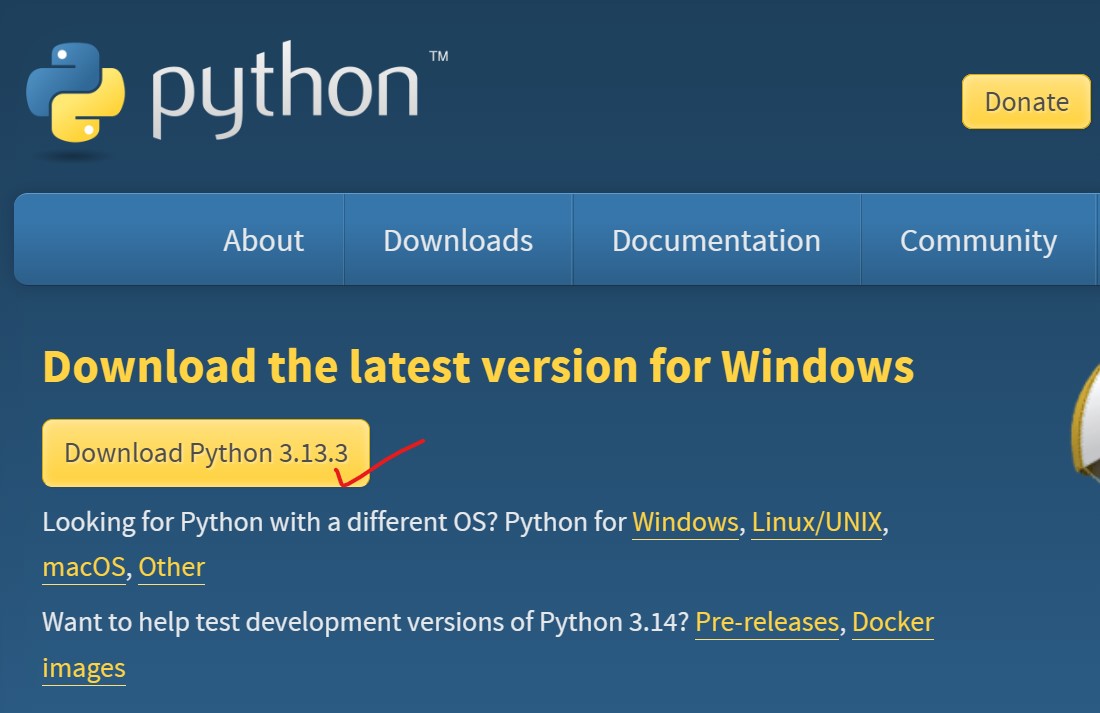
Go to the official Python Downloads page and click the big Download Python 3.13.x button (it always shows the latest stable release). Choose the Windows installer (64-bit) unless you have specific 32-bit needs.
🛠️ Step 2: Run the Installer (Important Settings!)
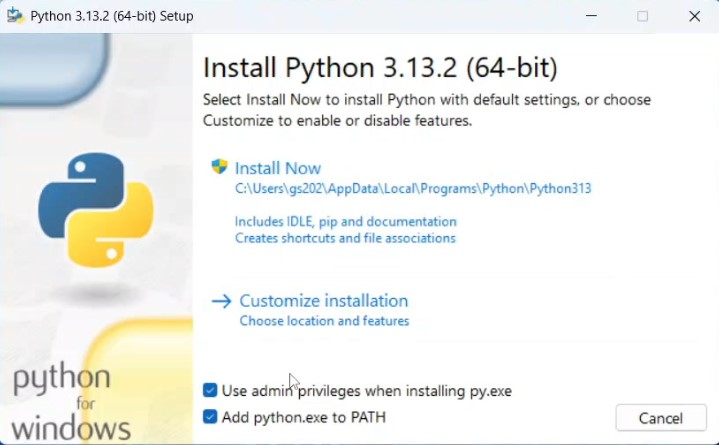
Double-click the downloaded .exe file. On the installer screen:
- ✅ Check the box: "Add Python X.Y to PATH" (super important!)
- Click Customize installation (recommended for control).
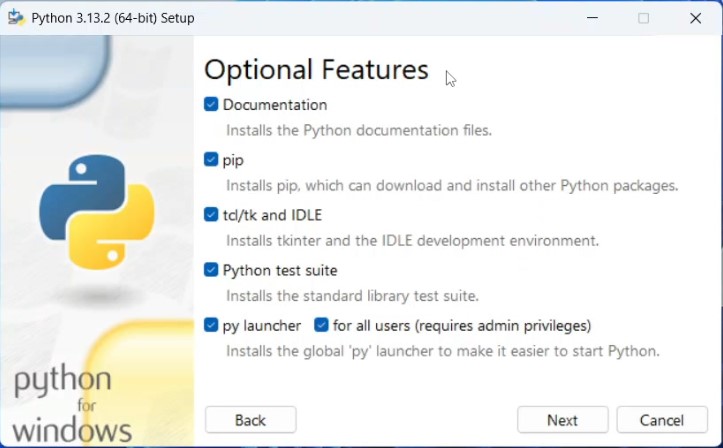
In Optional Features, keep everything checked and click Next.
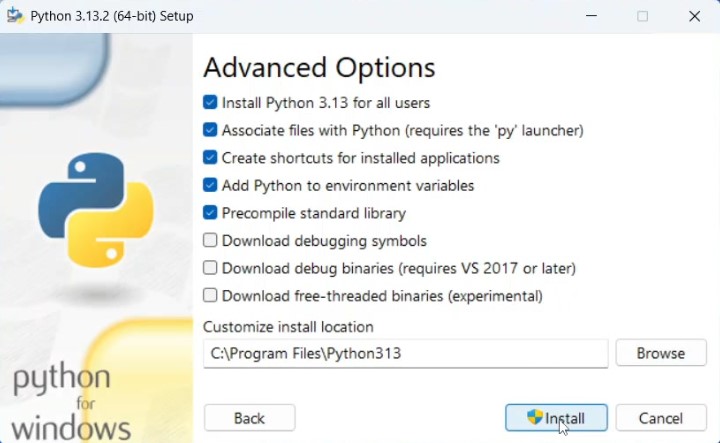
Under Advanced Options, check:
- ✅ "Install Python 3.13 for all users"
- ✅ "Precompile standard library"
- ✅ "Add Python to environment variables" (if not already checked)
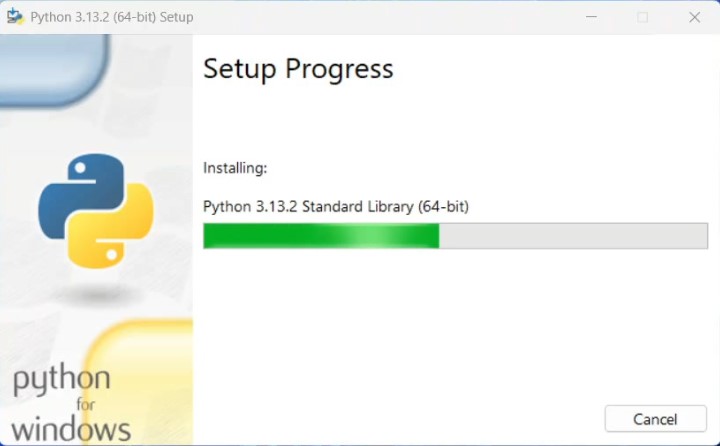
Choose the install location (or use the default), then hit Install and wait for setup to complete.
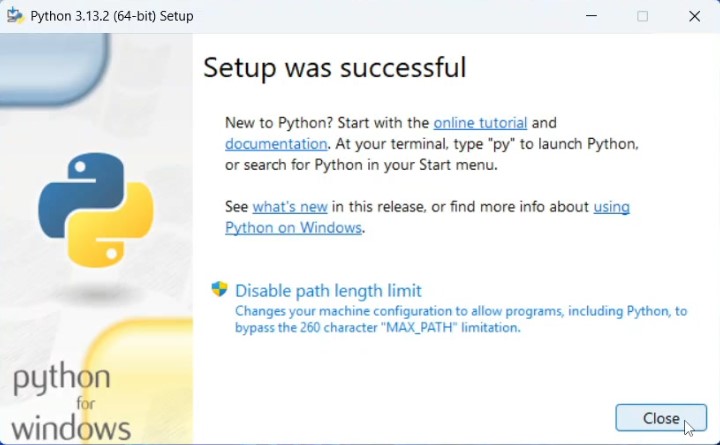
And voilà! Python is now installed successfully on your system — you'll see "Setup was successful".
🔍 Step 3: Verify the Installation
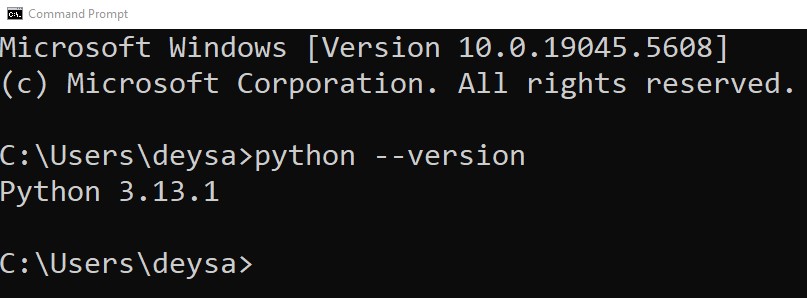
Open Command Prompt (search cmd in Start) and type:
You should see something like:
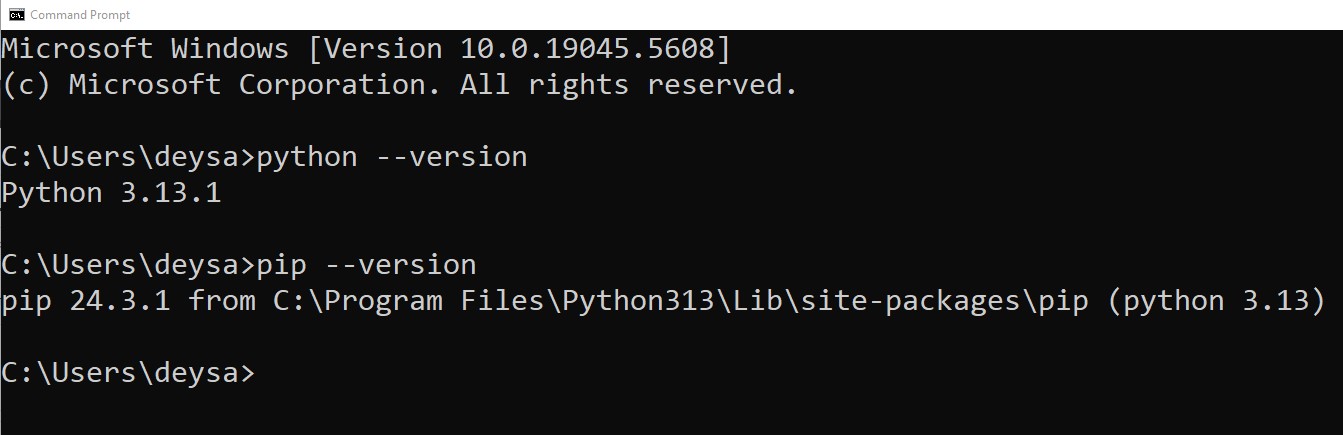
Also test pip (Python's package manager, installed with Python by default):
🧪 Test Python with a Simple Script
Create a file named hello.py and add:
Then run it from the terminal:
📈 Final Thoughts
Installing the latest version of Python on Windows in 2025 is easier than ever. Just follow the steps above, and you're ready to build, automate, analyze, and create! Bookmark this guide for future upgrades, and happy coding. 🐍
About the Author: gs_admin
A senior technical contributor specializing in architectural designs, software optimization, database structures, and developer education. Passionate about writing clean code and sharing engineering knowledge.